A vector database is designed to store high-dimensional embeddings generated by AI models (e.g., from OpenAI). Instead of keyword search, it performs similarity searches using algorithms like nearest neighbor (k-NN) to find results that are conceptually related, not just text-matching.
For example, searching for “king” might return results like “queen” or “royalty” because they are semantically close in vector space.
Why Do You Need a Vector Database?
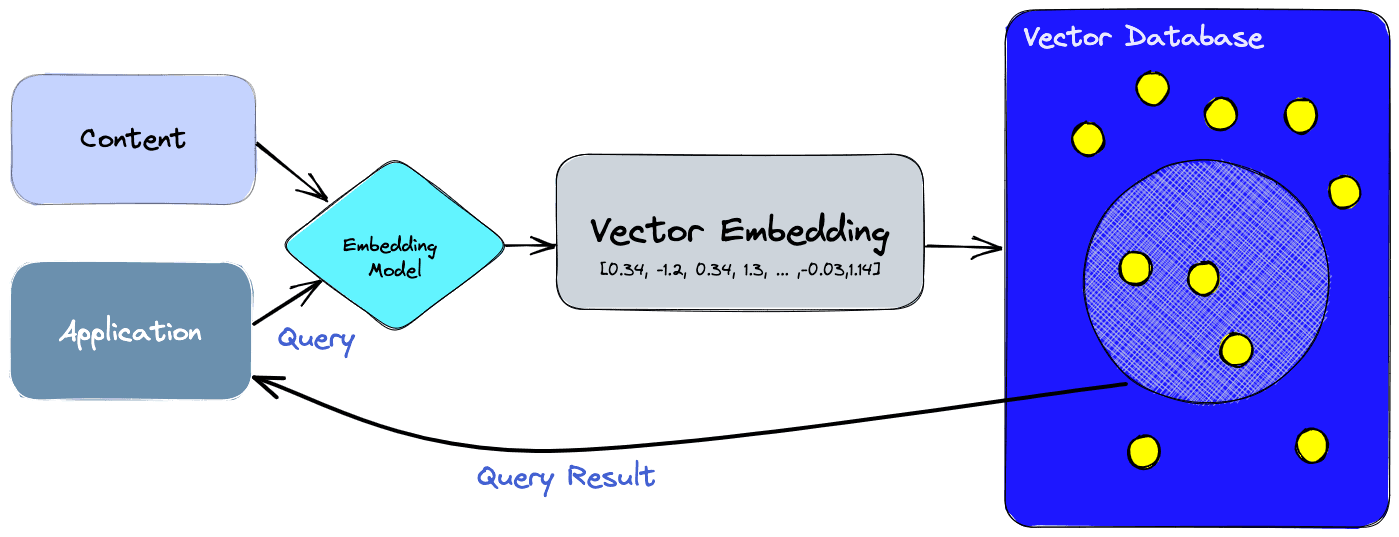
LLMs and tools like LangChain and LlamaIndex rely on vector databases for:
- Semantic search: Retrieve answers based on meaning, not just words.
- Context injection for ChatGPT: Use Retrieval-Augmented Generation (RAG) to feed custom documents to AI models.
- Scalability: Handle millions of embeddings with efficient search.
- Hybrid search: Combine semantic and keyword-based queries for better accuracy.
Key Factors to Consider When Choosing a Vector Database
1. Performance and Latency
For real-time AI apps, query latency is critical. Check if the database supports approximate nearest neighbor (ANN) search for speed.
Top choices:
2. Scalability
If your app will grow to millions of embeddings, choose a database that can scale horizontally.
Recommended:
- Weaviate – Cloud-native, handles scaling seamlessly.
- Qdrant – Lightweight but scalable open-source option.
3. Integration with AI Frameworks
Make sure your vector database integrates easily with LangChain, LlamaIndex, or OpenAI APIs.
- Pinecone, Weaviate, and Milvus all have native LangChain integrations.
- Qdrant offers SDKs and plug-and-play support.
4. Cost and Hosting
- Managed services (like Pinecone) save time but can be costly at scale.
- Open-source solutions (like Milvus or Qdrant) are cheaper but require DevOps expertise.
5. Hybrid Search Features
Some databases combine vector search with traditional keyword search (BM25 or ElasticSearch).
- Weaviate offers hybrid search out-of-the-box.
- Vespa.ai also supports hybrid and large-scale deployments.
Top Vector Databases for AI-Powered Search
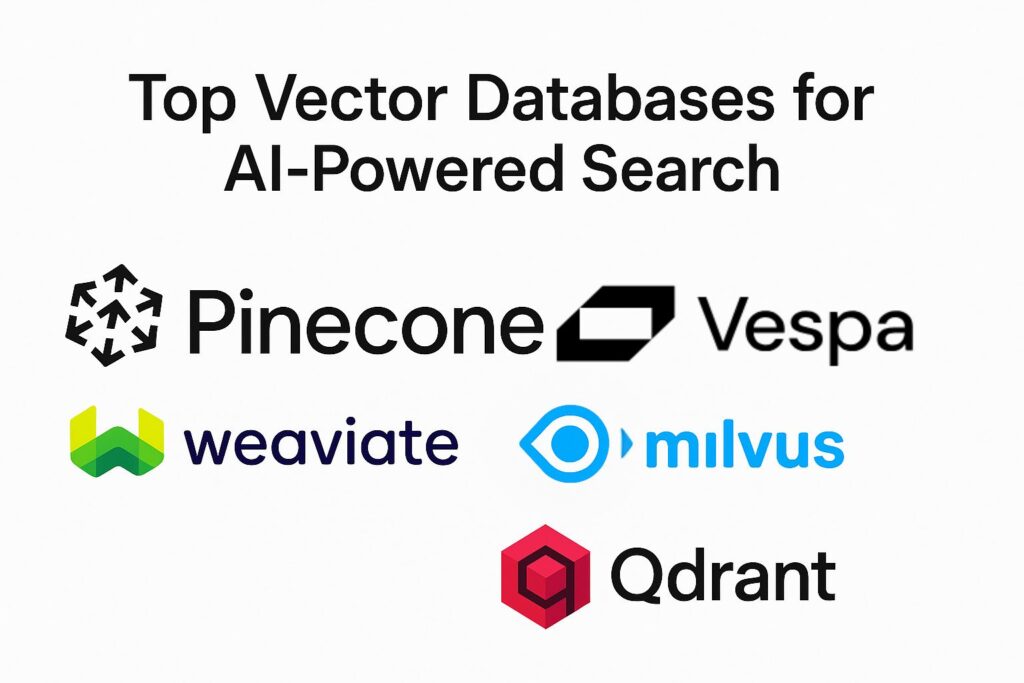
1. Pinecone
Website: https://www.pinecone.io/
- Managed cloud service
- Best-in-class latency
- Easy LangChain integration
2. Weaviate
Website: https://weaviate.io/
- Open-source and managed options
- Hybrid search + semantic graph capabilities
3. Milvus
Website: https://milvus.io/
- Leading open-source ANN engine
- Flexible deployment (Docker, Kubernetes)
4. Qdrant
Website: https://qdrant.tech/
- Open-source, high performance
- Great for small to mid-scale projects
5. Vespa.ai
Website: https://vespa.ai/
- Enterprise-grade
- Strong hybrid search and analytics features
How to Decide the Best Fit
- For startups: Pinecone or Qdrant (easy setup, low maintenance).
- For enterprise-scale AI: Weaviate or Milvus (scalable, customizable).
- For hybrid or e-commerce search: Weaviate or Vespa.ai (keyword + semantic).
Final Thoughts
Your choice of vector database will determine how fast and accurate your AI-powered search can be. Consider performance, scalability, integration, and cost when making a decision. Tools like Pinecone, Weaviate, and Milvus are the current industry leaders, but open-source options like Qdrant are quickly catching up.
If you are building a RAG pipeline with ChatGPT or LangChain, start with Pinecone for simplicity, or Weaviate if hybrid search is a must-have.