Social media success is no longer just about creativity it’s about consistency, strategy, and execution. If you’re struggling to plan engaging content regularly, ChatGPT can help you generate ideas, captions, calendars, and even repurpose content all through smart prompting. By using effective ChatGPT prompt strategies, content creators, freelancers, and marketing teams can streamline their entire social media planning process.
In this blog, you’ll learn how to write better prompts, build a content calendar, generate post ideas by platform, and use ChatGPT as your all-in-one social media assistant.
What is a ChatGPT Prompt Strategy?
A prompt is simply an instruction you give ChatGPT. A prompt strategy is a consistent and structured way of asking ChatGPT to generate useful, brand-aligned content.
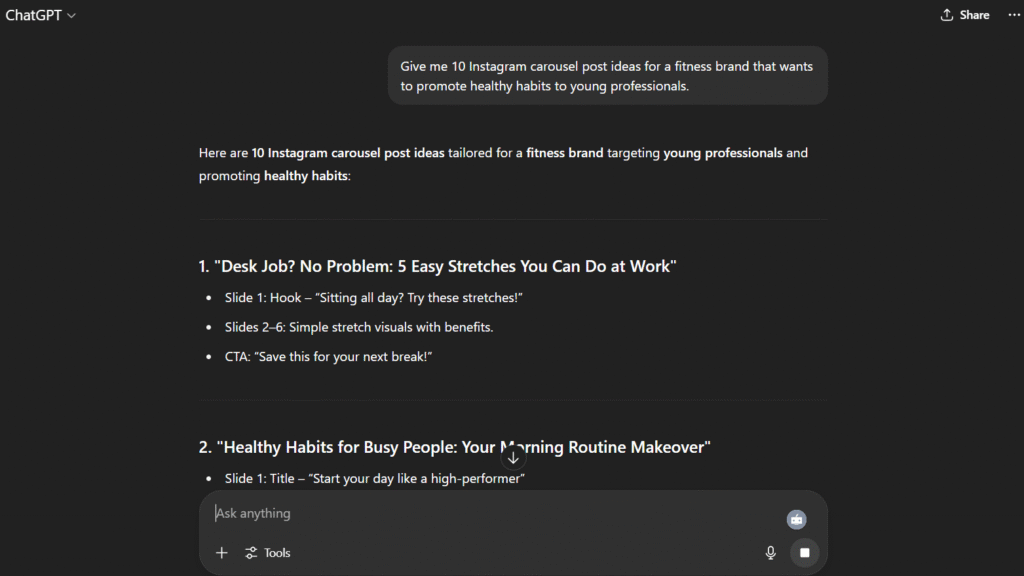
Rather than typing “give me Instagram ideas,” a prompt strategy might look like:
“Give me 10 Instagram carousel post ideas for a fitness brand that wants to promote healthy habits to young professionals.”
This targeted input gives ChatGPT enough context to generate relevant and actionable content.
Benefits of Using Prompt Strategies for Social Media
- Saves hours of brainstorming and writing
- Ensures consistent brand voice and tone
- Helps maintain an active content calendar
- Reduces decision fatigue and planning gaps
- Enables personalized content across multiple platforms
Step-by-Step: How to Use ChatGPT for Social Media Planning
Step 1: Define Your Brand Persona and Content Pillars
Before prompting, clearly define your:
- Target audience
- Brand tone (friendly, expert, bold, witty, etc.)
- Content goals (engagement, awareness, traffic, conversion)
- Pillars (education, promotion, behind-the-scenes, community, tips)
Prompt Example:
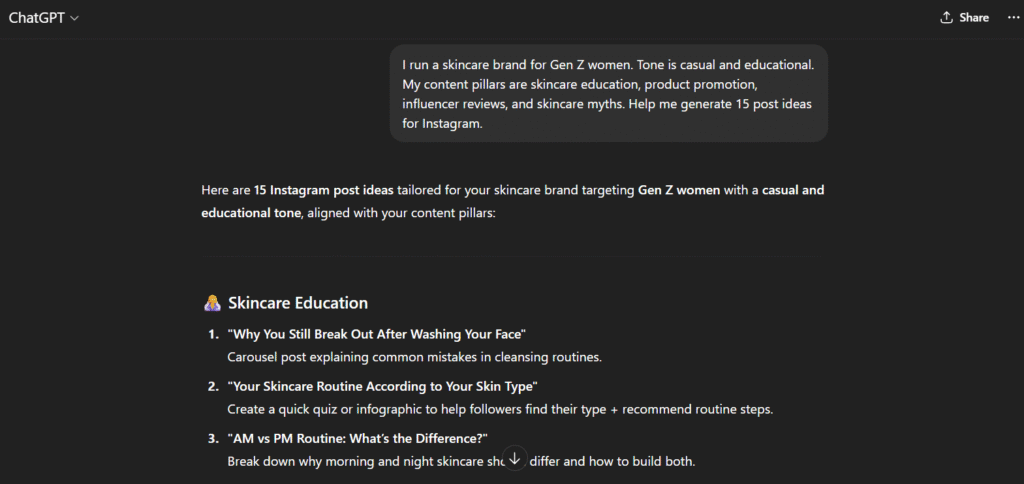
“I run a skincare brand for Gen Z women. Tone is casual and educational. My content pillars are skincare education, product promotion, influencer reviews, and skincare myths. Help me generate 15 post ideas for Instagram.”
Step 2: Create a 30-Day Social Media Calendar
You can ask ChatGPT to generate a full monthly calendar across multiple content pillars.
Prompt Example:
“Create a 30-day Instagram content calendar for a real estate agent in Texas. Include a mix of educational, personal, testimonial, and promotional posts.”
You can also specify:
- Platform (Instagram, LinkedIn, TikTok)
- Post type (carousel, reel, quote, story, tweet, etc.)
- Frequency (daily, 3x/week)
Step 3: Generate Captions and Hashtags
After you finalize post ideas, use targeted prompts to generate compelling captions.
Prompt Example:
“Write a short, engaging caption for a ‘Behind-the-scenes of a home staging’ reel on Instagram. Use a warm and professional tone. Add 10 relevant real estate hashtags.”
ChatGPT will generate the copy instantly and you can tweak or reuse it as needed.
Step 4: Repurpose One Post for Multiple Platforms
Make one idea work across LinkedIn, Instagram, X (Twitter), and TikTok.
Prompt Example:
*“Repurpose this idea: ‘Tips to boost your LinkedIn profile visibility’ into:
- LinkedIn post
- Instagram carousel
- Tweet thread
- TikTok script
This allows content creators to expand their reach without constantly inventing new topics.
Step 5: Build AI-Powered Content Templates
Use prompts to create custom templates for recurring series such as:
- Weekly Q&A posts
- Tips of the week
- Monthly recaps
- Product spotlights
- Myth-busting posts
Prompt Example:
“Build a weekly Instagram post template for ‘Wellness Wednesdays’ including format, caption structure, and call to action.”
Once you lock in templates, reuse them with new content using ChatGPT again.
Step 6: Plan Campaigns, Giveaways, and Launches
Use prompts to strategize full campaigns.
Prompt Example:
“I’m launching a new digital product (productivity planner). Help me create a 7-day content plan for Instagram to build hype, offer value, and convert followers.”
ChatGPT will return a campaign flow: teaser → benefits → testimonials → countdown → launch → CTA
Step 7: Analyze and Improve Engagement
ChatGPT can help analyze underperforming posts and suggest improvements.
Prompt Example:
“This post got low engagement: [insert caption]. Suggest 3 ways to rewrite it for better reach and comments.”
It can also help rewrite based on new trends or optimize for storytelling.
Best Prompt Structures to Use
| Type | Prompt Template |
|---|---|
| Content Ideas | “Give me 10 post ideas for [platform] for a brand in [niche] targeting [audience]” |
| Captions | “Write a [tone] caption for a post about [topic] with [CTA]” |
| Calendars | “Create a 30-day content calendar for [brand] covering [pillars]” |
| Series Templates | “Generate a weekly post template for [theme] in [niche]” |
| Repurposing | “Turn this post into formats for [platforms]” |
Top Tools That Work Well with ChatGPT
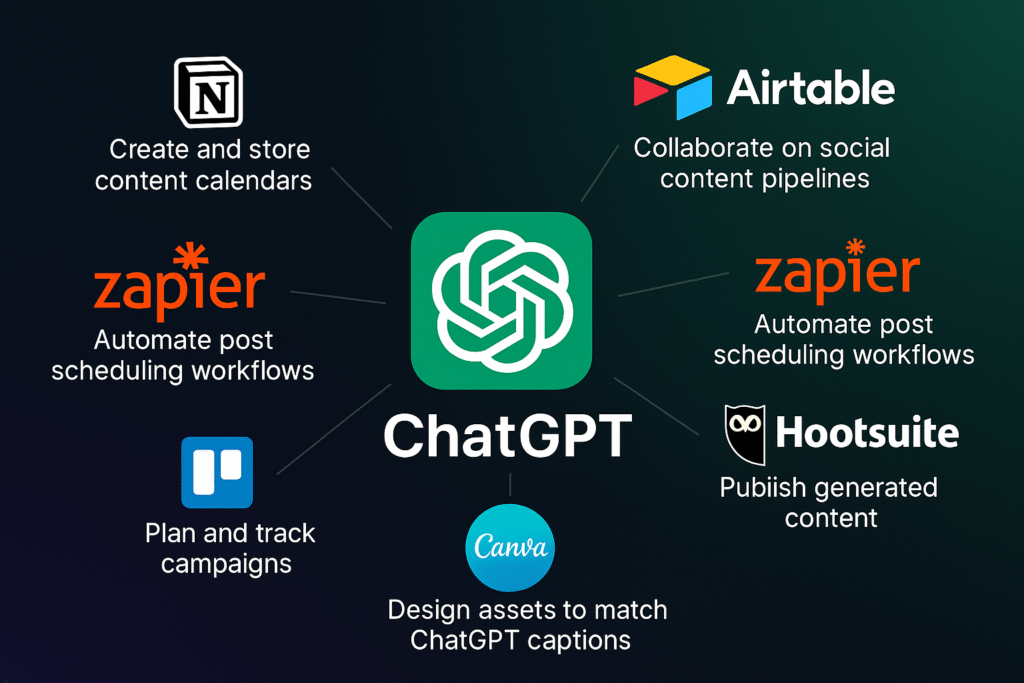
- Notion: Create and store content calendars
- Airtable: Collaborate on social content pipelines
- Zapier: Automate post scheduling workflows
- Hootsuite: Publish generated content
- Canva: Design assets to match ChatGPT captions
- Trello: Plan and track campaigns
Final Tips for Success
- Always review and humanize ChatGPT-generated content
- Add emojis, brand hashtags, and branded language
- Use ChatGPT to brainstorm visuals (e.g., “Suggest images for this post”)
- A/B test captions and CTAs over time
- Maintain a prompt library for different content types
Conclusion
ChatGPT is more than a writing assistant it’s a full-scale content planning partner. With the right prompt strategies, you can eliminate planning stress, fill your content calendar with ease, and engage your audience consistently across platforms.
Start using ChatGPT to fuel your next social media campaign because smart content starts with smart prompts.